In today’s article I’ll show you a way to connect a .ro domain to a blog hosted on blogspot.com, Google’s free blogging service.
I use blogger.com for small projects because everything is free, the terms and conditions are fairly relaxed, and the service includes many things I’d have to pay for with other hosting providers. On the other hand, there are some limitations: the number of site themes is quite small, and nobody can be sure Google will keep this service forever. Even so, I think it’s worth it: if a site I build on Blogger starts attracting traffic, I can move it anytime to my own hosting—especially since I’m pretty good at doing this kind of thing (migration isn’t as easy as it looks, but it’s possible with a lot of work and help from AI).
One of the things Blogger.com offers for free is the ability to use your own domain name. And this is where the fun begins: for .ro domains, the domain registry https://www.rotld.ro doesn’t provide DNS hosting—only the option to specify the IP address of your own DNS servers.
In this situation, you need a DNS service provider to sit between RoTLD and blogger.com.
I chose ClouDNS for this, which offers a free plan with the following features:
- Free forever
- 4 Unicast DNS servers
- 1 DNS zone (= one hosted domain)
- 50 DNS records
- 500K DNS queries per month
- 1 email forwarding
- Dynamic DNS
- Web redirect
- 24/7 Live Chat support
For a low-to-medium traffic site, the features offered by ClouDNS are more than enough. If traffic grows, you can upgrade to a paid plan with unlimited traffic. At the time I’m writing this article, the plan with unlimited DNS queries costs $5.95/month (+VAT).
So, to connect a .ro domain to Blogger / Blogspot, we’ll follow these steps:
- buy the desired .ro domain from https://www.rotld.ro/home/
- create a new ClouDNS account
- create a new zone in ClouDNS that matches our domain
- enter the ClouDNS nameservers in RoTLD
- follow the steps required to connect a domain to Blogger, stopping at the stage where the message is shown containing the two CNAME records needed to connect the domain to Blogger / Blogspot
- in ClouDNS, apply the Blogger connection template and enter the data above.
ClouDNS setup – Part I
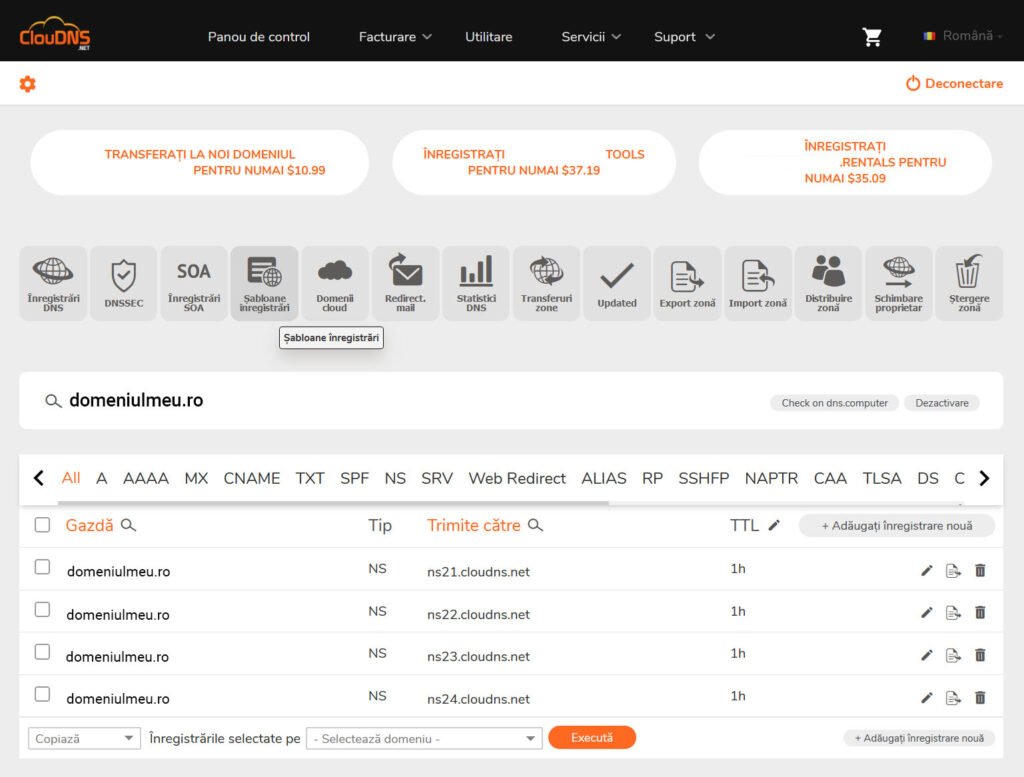
First, go to the ClouDNS control panel and create a new zone that matches our domain.
RoTLD configuration
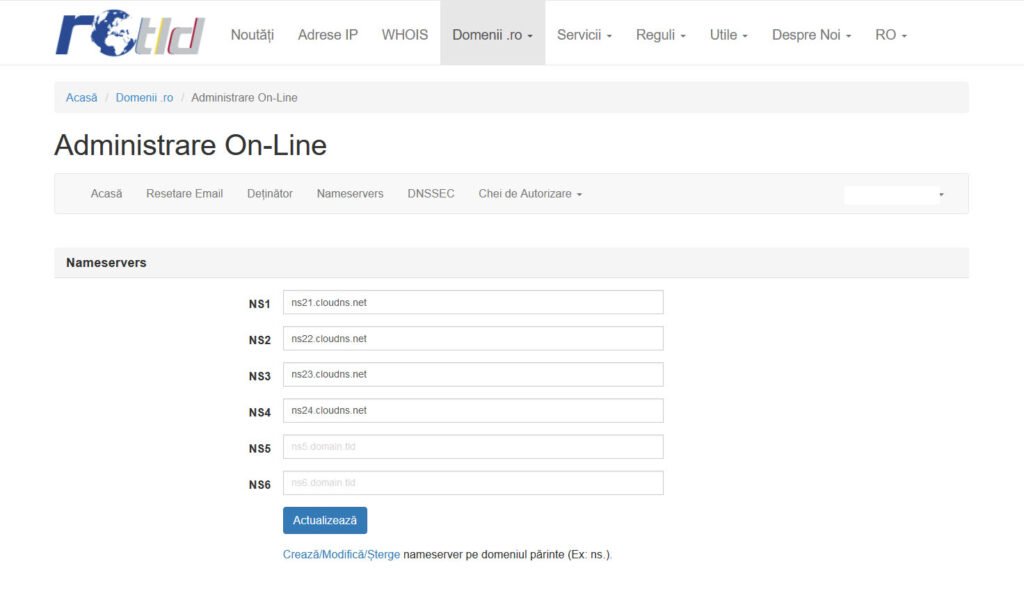
This tutorial assumes the domain has already been purchased, that we have access to its admin interface, and that we’ve already created the zone in ClouDNS. We’ll only change the nameservers, as follows:
- ns21.cloudns.net
- ns22.cloudns.net
- ns23.cloudns.net
- ns24.cloudns.net
As shown in the image below. If ClouDNS makes changes and these names are no longer valid, you can find the updated ones in ClouDNS by going to Control Panel → DNS Hosting, then for the zone (your domain) click available name servers.
Now it’s time for a break to allow the new settings to propagate. This can take up to 24 hours. You can check with https://www.nslookup.io/dns-checker/: enter the domain name and verify that the ClouDNS nameservers appear in the NS section.
Blogger setup
For this example, we’ll start with a blog called MyBlog, at https://numeledeblog.blogspot.com, and connect it to the domain domeniulmeu.ro.
To do this, open blogger.com, select the MyBlog blog, and go to Settings.
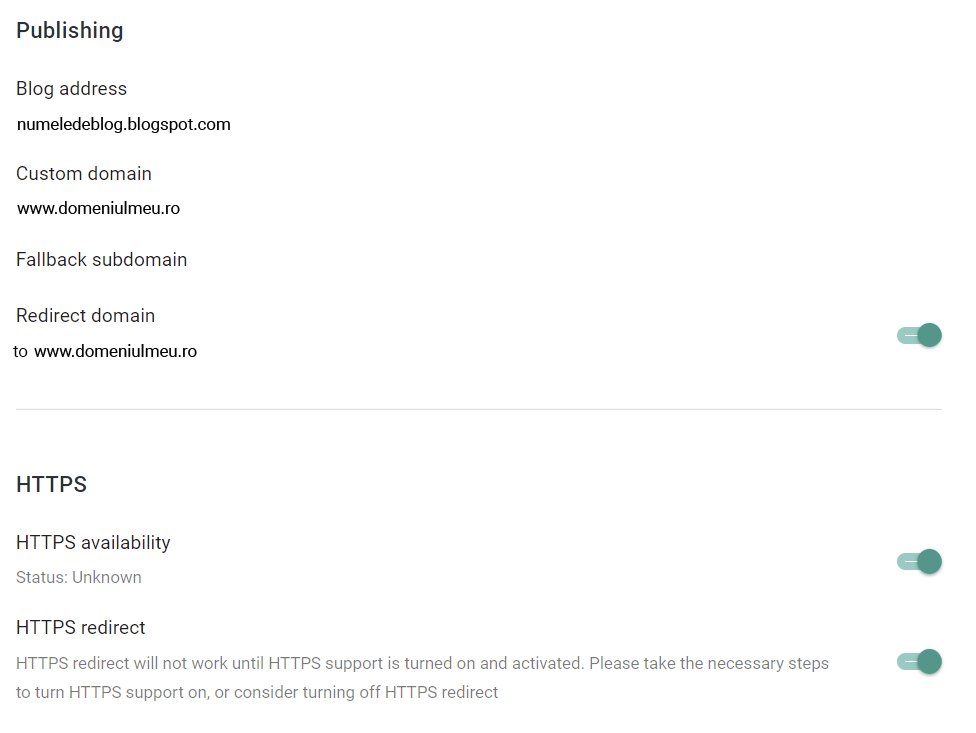
To connect our domain, in Settings go to Publishing and click Custom domain. A new window opens and asks for the custom domain name:
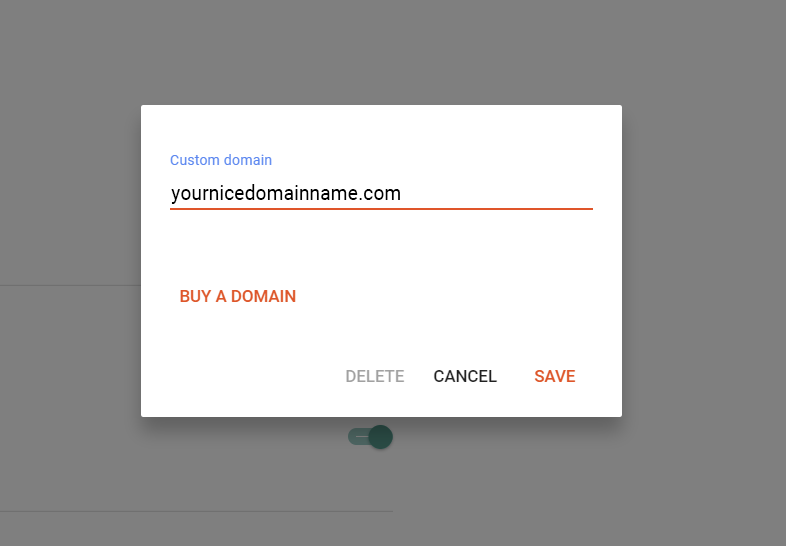
Enter the domain name with a subdomain in front, whether it’s www, blog, or anything else you can think of. I prefer the www subdomain.
Now, if you click Save, you’ll get the following message:
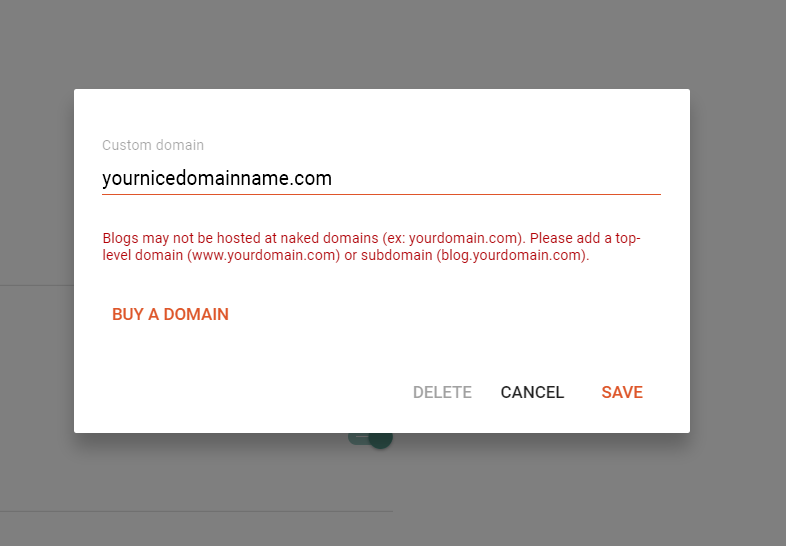
To get rid of the error, you need to enter the name with www in front, as in the image below.
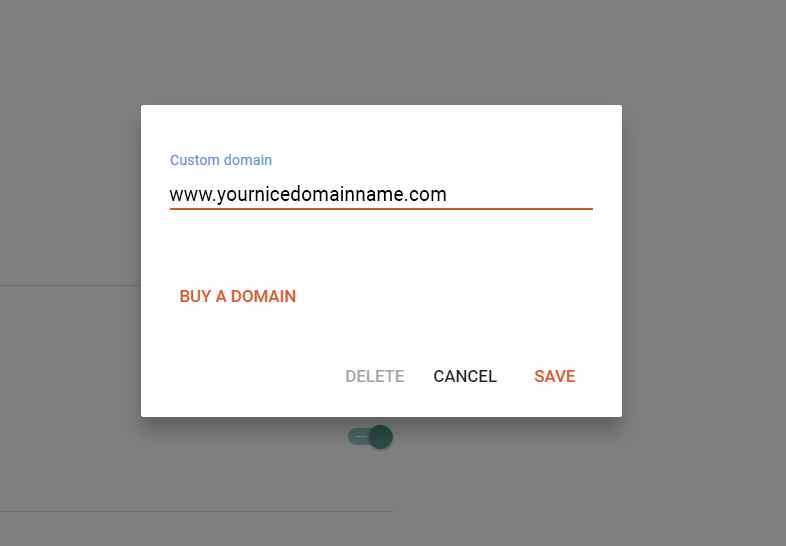
Now everything is fine and Blogger lets us move on.
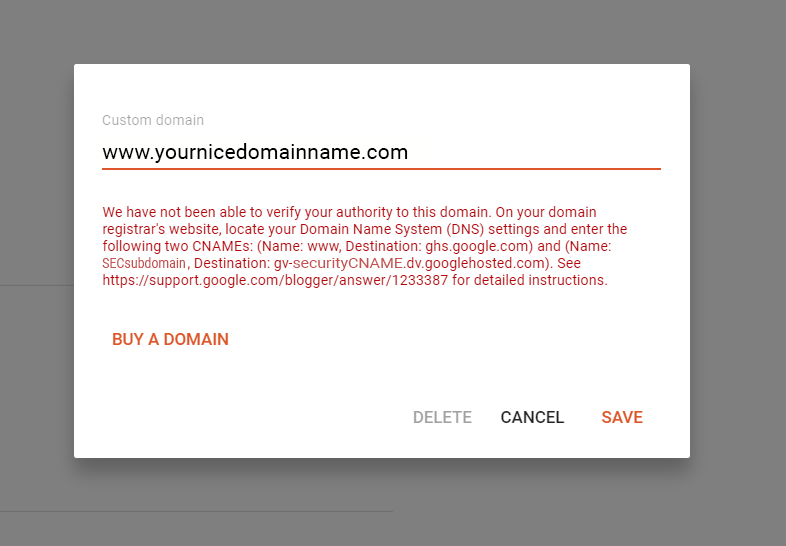
The text in red contains two very important pieces of information:
- the security subdomain; in my example it’s the string SECsubdomain
- the security CNAME value; in my example it’s the string gv-securityCNAME.dv.googlehosted.com
Take the red text, copy it into a text document, and save it! You’ll need it later if you lose the settings and have to reconnect the domain.
Leave blogger.com open on the window where the red values are displayed.
ClouDNS setup – Part II
Open ClouDNS in another tab, go to the zone that matches your domain, and go to record templates.
A list of available templates will open. From here, click “Blogger”.
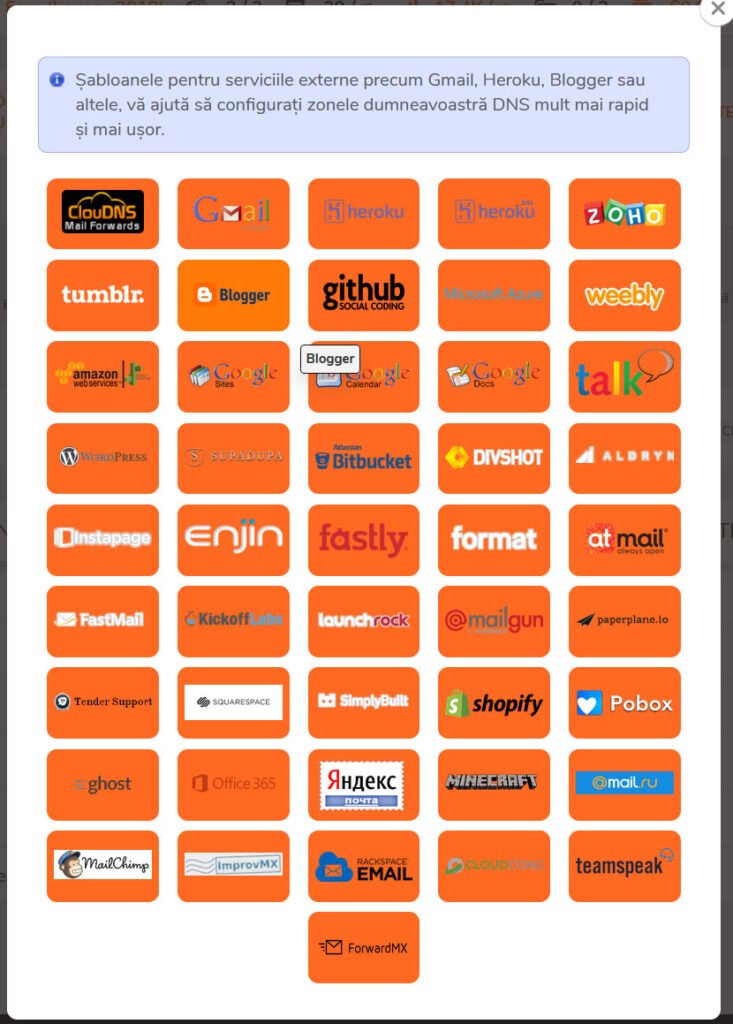
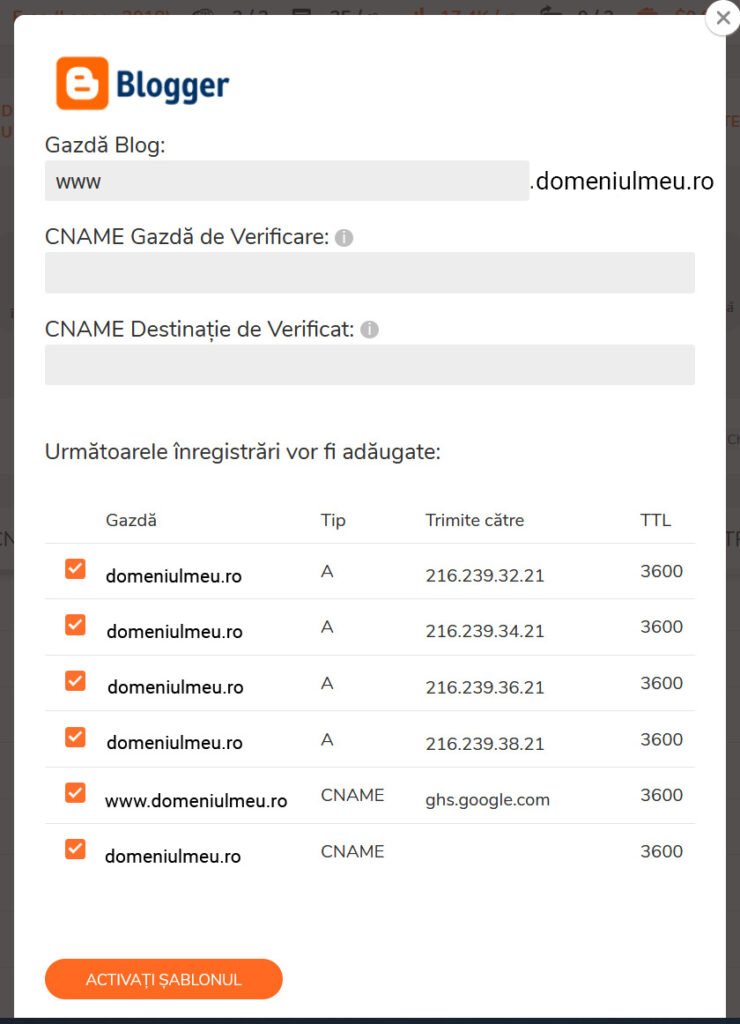
In the connection template window, enter the two values provided by blogger.com, then click “activate template”.
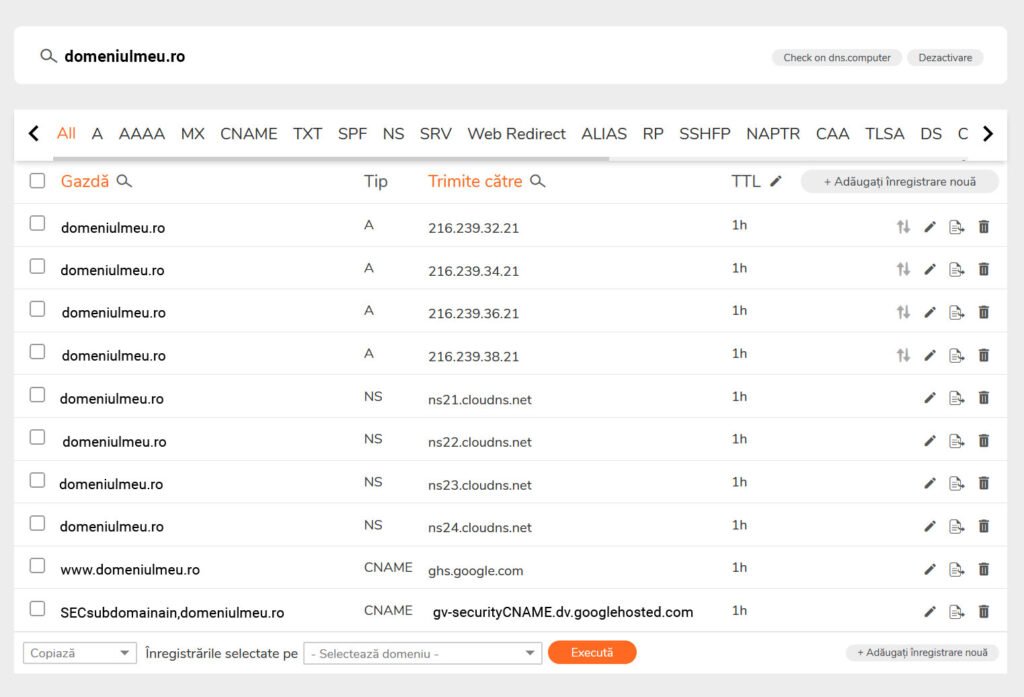
After applying the template, the DNS zone should look like this:
Wait for the zone to update (a few minutes), then go back to the tab where blogger.com is open and click SAVE. If it doesn’t save, wait a few more minutes and try again. Sometimes the settings propagate more slowly.
Finally, in blogger.com go to settings and enable the following:
- redirect domain to www.domeniulmeu.ro
- TTPS availlability
- HTTPS redirect
As shown in the image below.
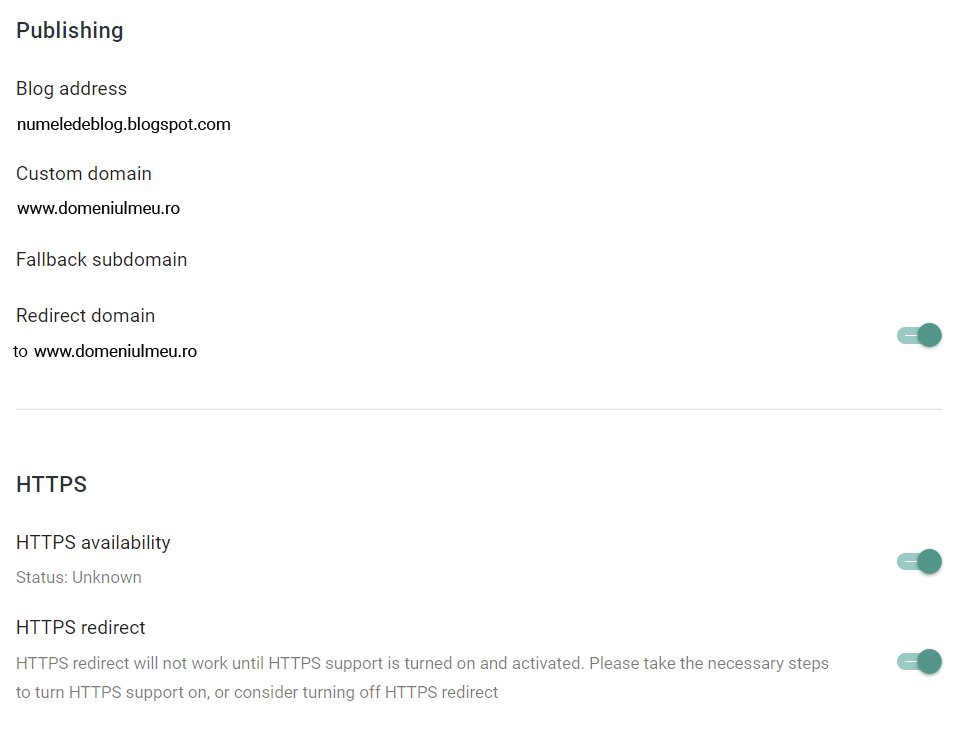
Enabling HTTPS doesn’t happen instantly; it requires some waiting time. I’ve sometimes waited as long as two hours for it.
That’s it. You can now use the new site. Note that the site address is www.domeniu.ro. This is what you should use in Google Analytics and Search Console. If you enter domeniu.ro in the browser, you’ll be automatically redirected to www.domeniu.ro.

